GUARD MODULE
LAYOUT BACKUPS & RESTORE
Save point-in-time snapshots of your YOOtheme layouts. Restore any version instantly with one click.

Built for YOOtheme Pro
Guard captures the full YOOtheme layout JSON for every page. Snapshots are lightweight, accurate, and restore in seconds.
ONE-CLICK SNAPSHOTS
Create a snapshot of any page before making changes. Bulk snapshot multiple pages at once.
INSTANT RESTORE
Roll back any page to a previous snapshot. A safety snapshot is created automatically before each restore.
EXPORT AND RETENTION
Download snapshots as JSON for safekeeping. Set retention limits to keep storage clean automatically.
HOW IT WORKS
No setup required. Toggle Guard on from the YOOfoundry dashboard and start creating snapshots immediately.
SNAPSHOT
Open the Guard dashboard and click Snapshot on any YOOtheme page. You can also select multiple pages and snapshot them in bulk.
MAKE CHANGES
Edit your layouts freely in the YOOtheme builder. Your snapshot is safely stored and ready to restore at any time.
RESTORE ANYTIME
Open the Guard dashboard, browse your snapshots, and restore with one click. A safety snapshot is created automatically before each restore.
FAQ
How much storage do snapshots use?
Very little. Guard stores only the YOOtheme layout JSON, not images or media. A typical page snapshot is a few kilobytes. You can check total storage used on the Guard dashboard.
Can I restore a snapshot to a different page?
Snapshots restore to the original page they were taken from. To move a layout to a different page, export the snapshot as JSON and import it manually.
How many snapshots can I keep per page?
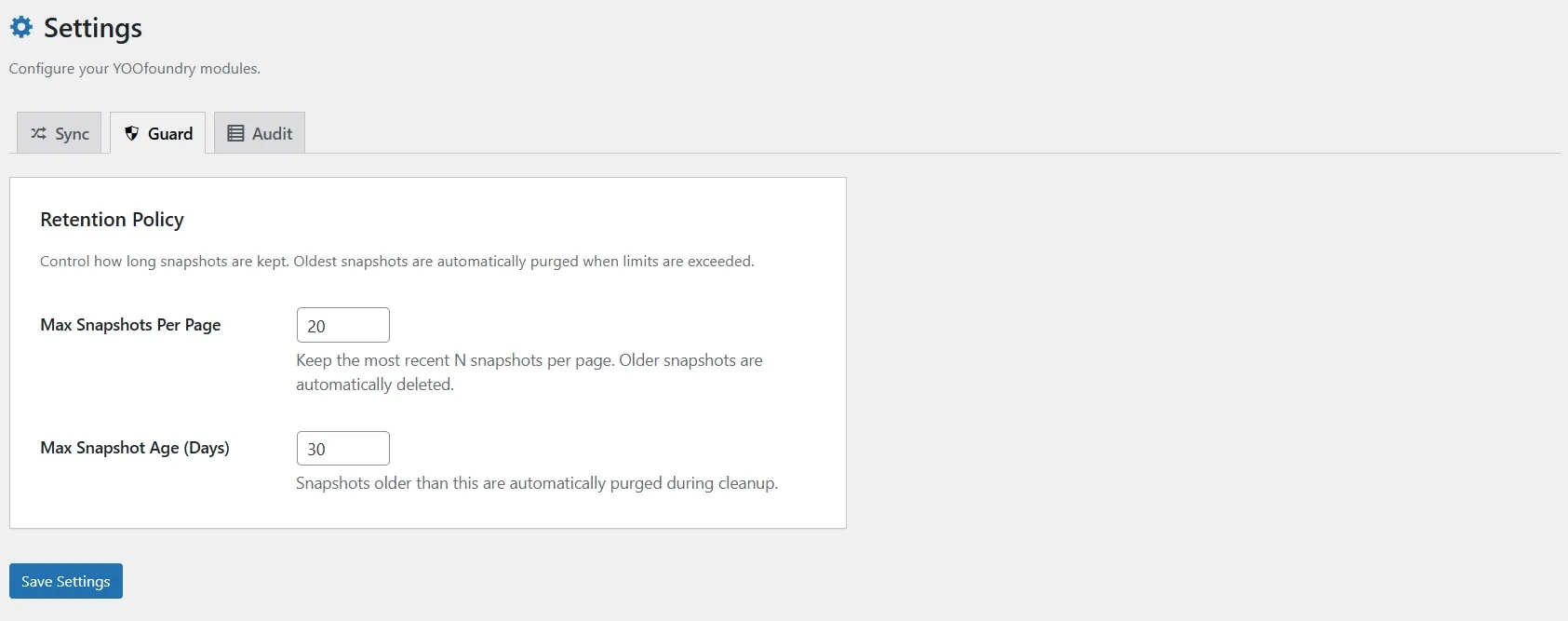
By default, Guard keeps the 20 most recent snapshots per page and removes snapshots older than 30 days. You can adjust both limits in the Guard settings.
Is a safety snapshot created before restoring?
Yes. Every time you restore a snapshot, Guard automatically creates a safety snapshot of the current layout first. You can always roll back if needed.
